
TransMe - Translator All2.4.8 - Google Play
You'll be able to see results in few seconds.
Publisher Description

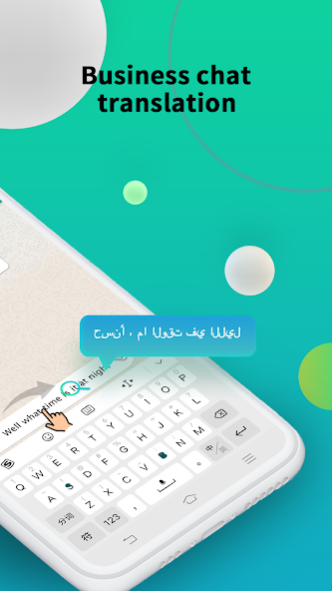
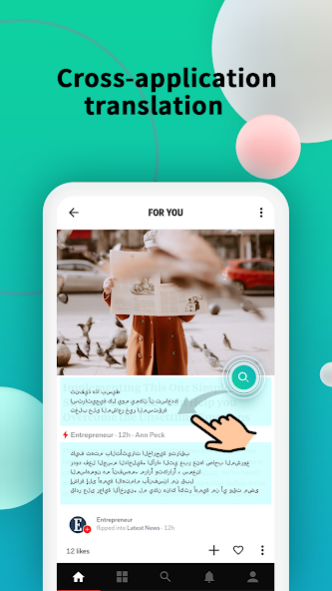
You only need to drag the floating ball to the target location to translate the content. It can translate the text in the application across applications. You can also drag the floating ball directly to replace the text in the input box with what you want. Translated content, solve the obstacles of your language communication
Features:
1. Cross-application translation
* Use the translation ball to translate in any application. Chat without borders, without barriers to reading.
2、Text translation
* Real-time translation of phrases and words
3、Voice translation
* Real-time voice translation of text and audio
4、Magic font
* You can decorate the character style into various effects you want
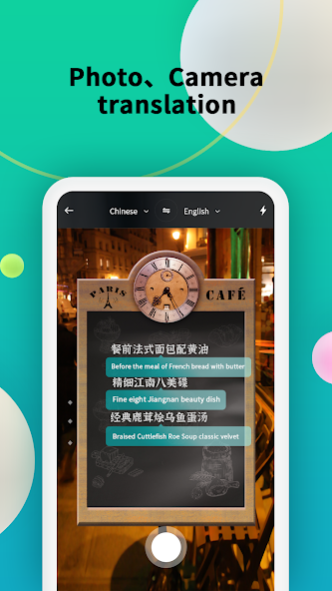
5、Camera translation
* Translate what you need in real time by taking photos
1、What data the app collects using the AccessibilityService API ?
-App activity
-Page views and taps in app
-In-app search history
-Installed apps
-Other user-generated content
-App info and performance
-Crash logs
-Diagnostics
-Other app performance data
-Device or other identifiers
2. Why use this AccessibilityService API for what purpose?
In this way, we implement cross-application content reading and translation on third-party applications. On third-party applications, we will read the content of the third-party application and pass the acquired content to the server.
Implement functions such as drag translation, click global translation, etc.
Accessibility permission is used when the user wants to read the third-party content when translating its content in any third-party app. The app needs to know the current state of the phone screen to implement the translation function.
TransMe is a free global language translator, use it to make your chat easier, and it supports mainstream social chat software.
If you like us, you can send us an email, and we will continue to iterate out more features in the future! thanks!
About TransMe - Translator All
The company that develops TransMe - Translator All is FunTeam LTD.. The latest version released by its developer is 2.4.8.
To install TransMe - Translator All on your Android device, just click the green Continue To App button above to start the installation process. The app is listed on our website since 2023-08-21 and was downloaded 0 times. We have already checked if the download link is safe, however for your own protection we recommend that you scan the downloaded app with your antivirus. Your antivirus may detect the TransMe - Translator All as malware as malware if the download link to image.translate.language.transme is broken.
How to install TransMe - Translator All on your Android device:
- Click on the Continue To App button on our website. This will redirect you to Google Play.
- Once the TransMe - Translator All is shown in the Google Play listing of your Android device, you can start its download and installation. Tap on the Install button located below the search bar and to the right of the app icon.
- A pop-up window with the permissions required by TransMe - Translator All will be shown. Click on Accept to continue the process.
- TransMe - Translator All will be downloaded onto your device, displaying a progress. Once the download completes, the installation will start and you'll get a notification after the installation is finished.
Program Details
System requirements
Download information
Pricing
Version History
version 2.4.8
posted on 2023-08-21
-Improve stability
-Fix bug
version 2.4.8
posted on 2023-08-21
-Improve stability
-Fix bug
Disclaimer
Official Google Play Link
We do not host TransMe - Translator All on our servers. We did not scan it for viruses, adware, spyware or other type of malware. This app is hosted by Google and passed their terms and conditions to be listed there. We recommend caution when installing it.
The Google Play link for TransMe - Translator All is provided to you by apps112.com without any warranties, representations or guarantees of any kind, so access it at your own risk.
If you have questions regarding this particular app contact the publisher directly. For questions about the functionalities of apps112.com contact us.
